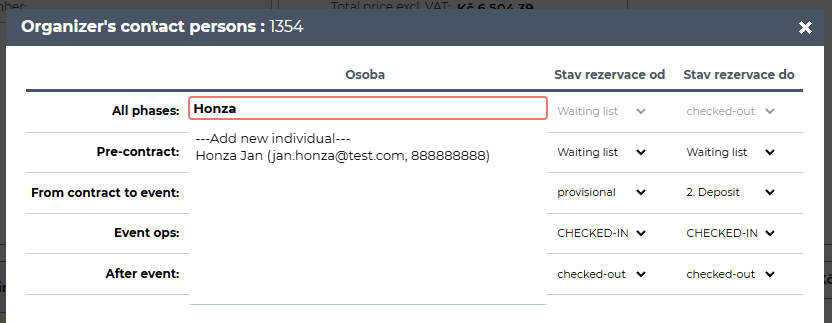
In Confero 1.7.0, we now allow adding not only a responsible persons (hotel) but also a organizer's contact persons to reservations/events. Let’s take a look at how it works.
Reservation phases
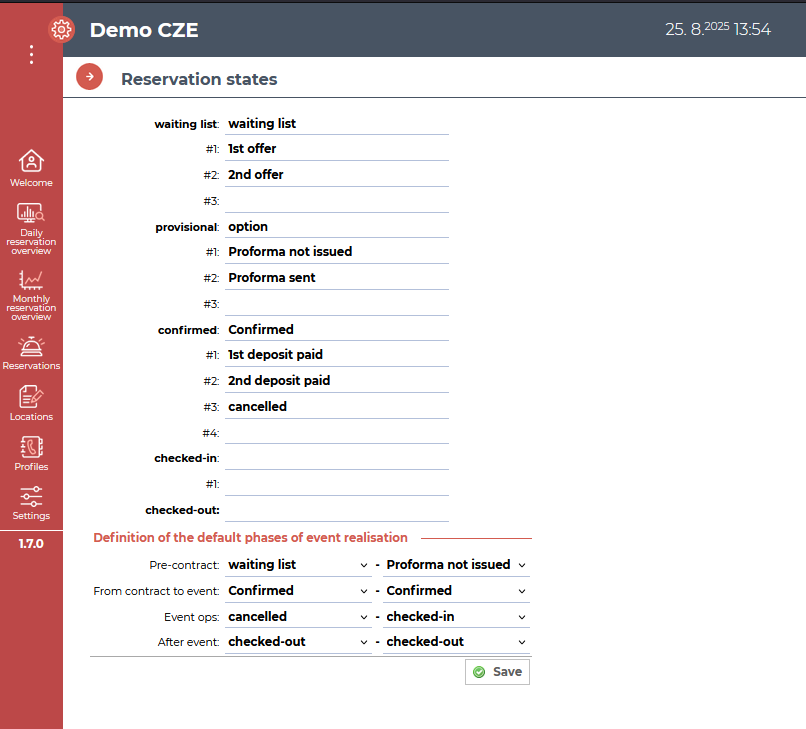
First, let’s look at the reservation stages and how to configure them.
Via Settings → System → Reservation States you can define which reservation states fall under which reservation stage.
Responsible person (hotel)
Within a reservation, you can assign a responsible user through the Responsible Persons option.
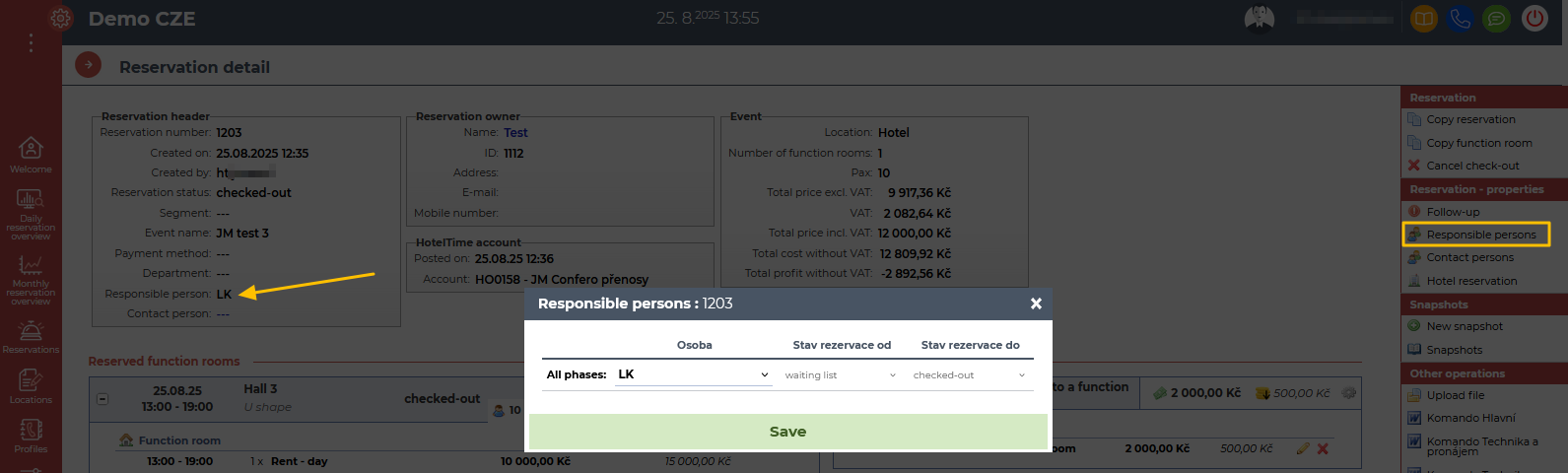
The list of available users comes from Settings → Users → List of users
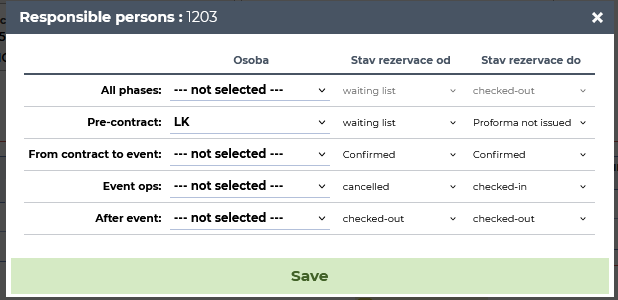
Here you can choose which user is responsible for the reservation, and in which phase.
Organizer's contact person
1. You can set an Organizer's contact person the same way. It is no longer necessary to check any filed in the contact's profile.
2. In the reservation, add a contact person via the Contact Person option :
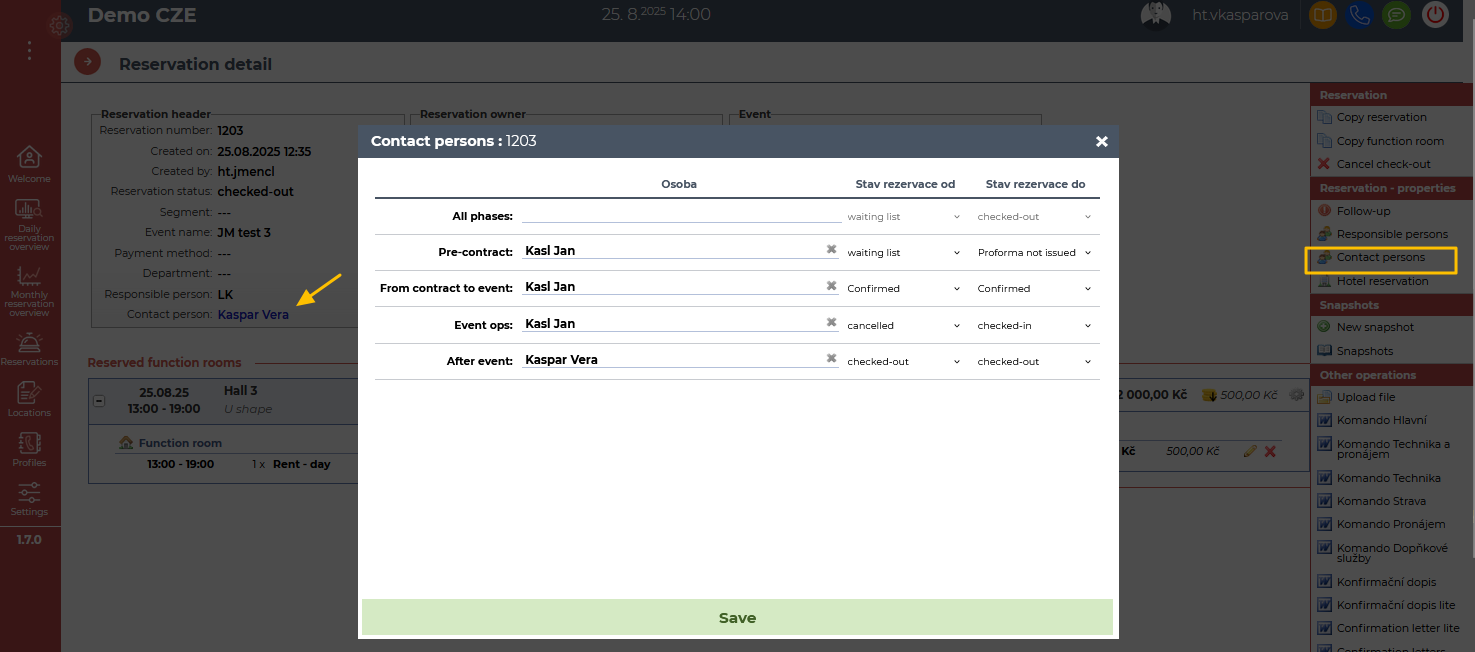
3. Then simply search for the contact person and confirm. Just like with the responsible person, you can define for which reservation phases/states the contact person is assigned.
4. You can now create new profile while choosing the contact person + you can see contact information (e-mail, phone) which help you to identify the correct profile: