Did you know that you can change a default expiration length of a gift certificates/vouchers?
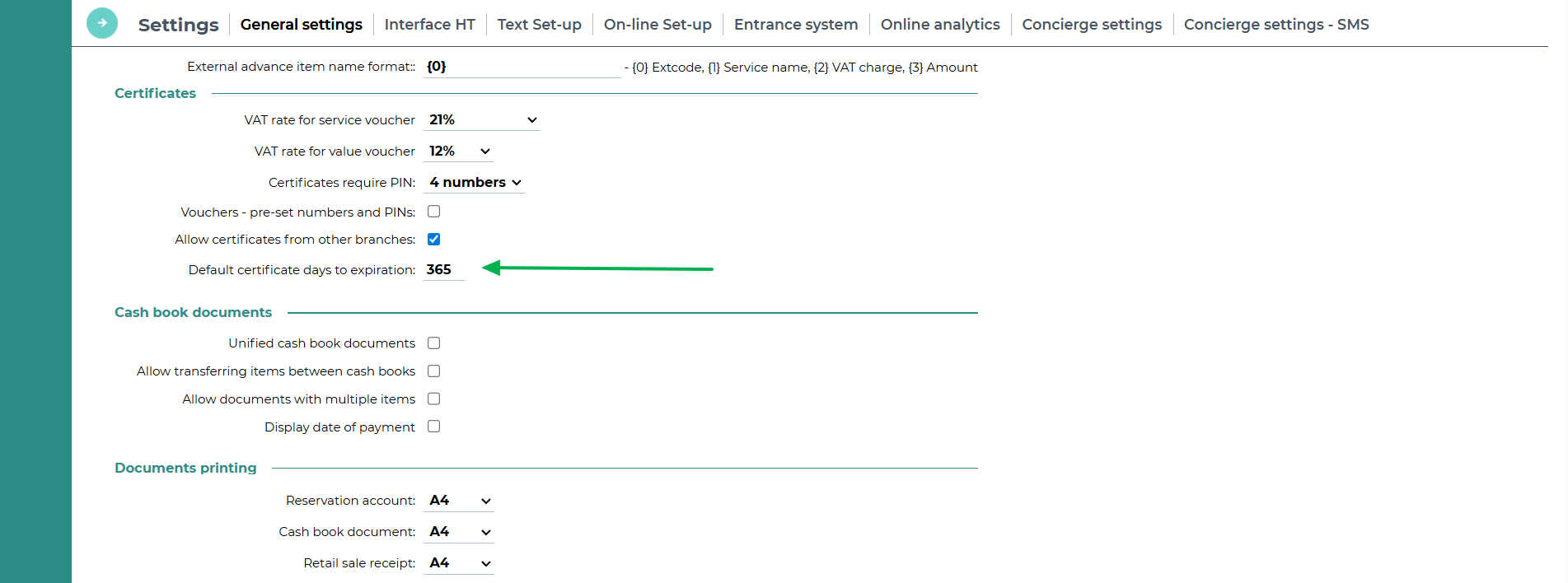
A default expiration length can be changed in Settings - System - General settings - Certificates section - Default certificate days to expiration.
The setting is applied for a newly created vouchers only, it does not extend the validity of issued vouchers.
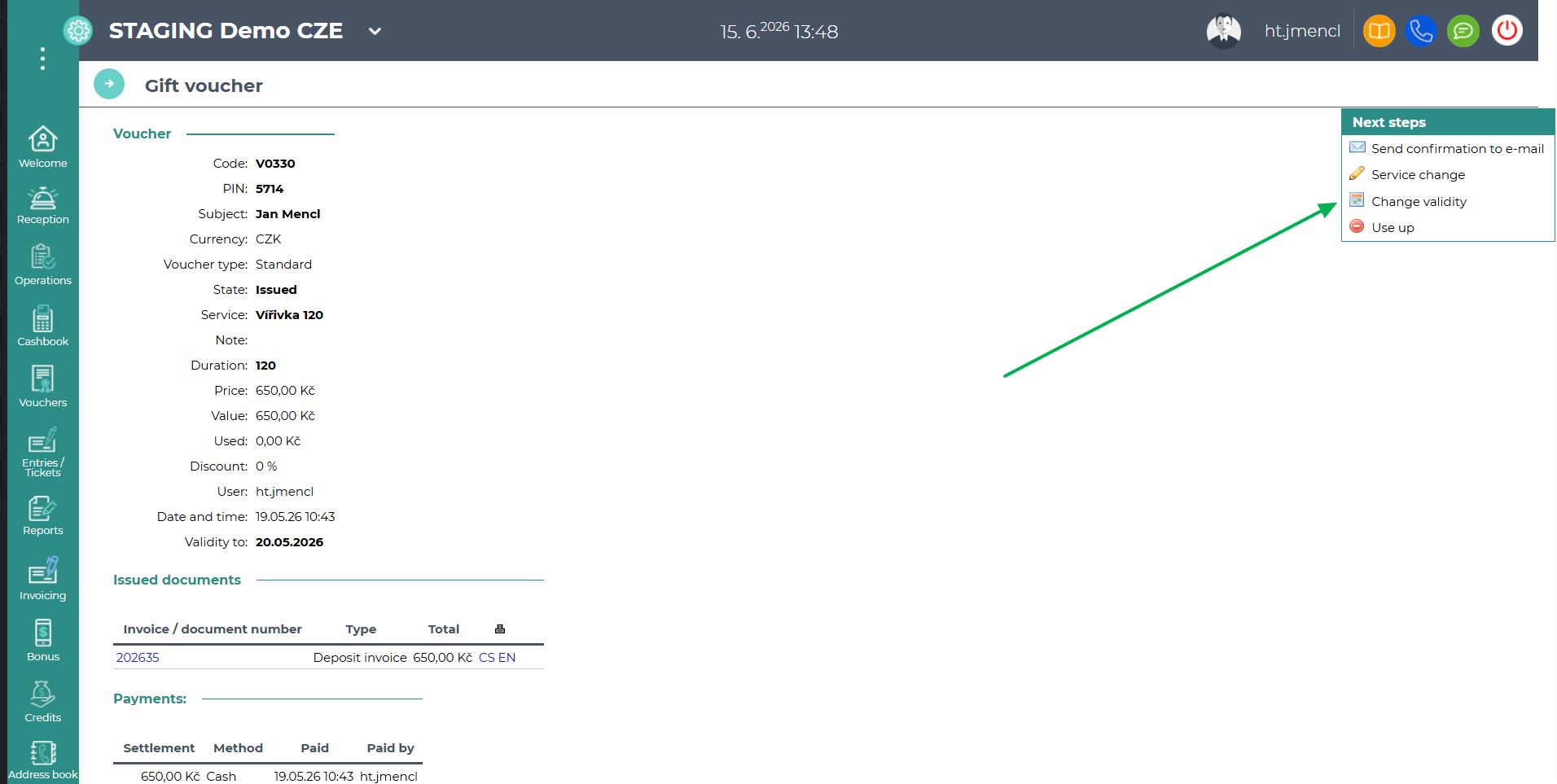
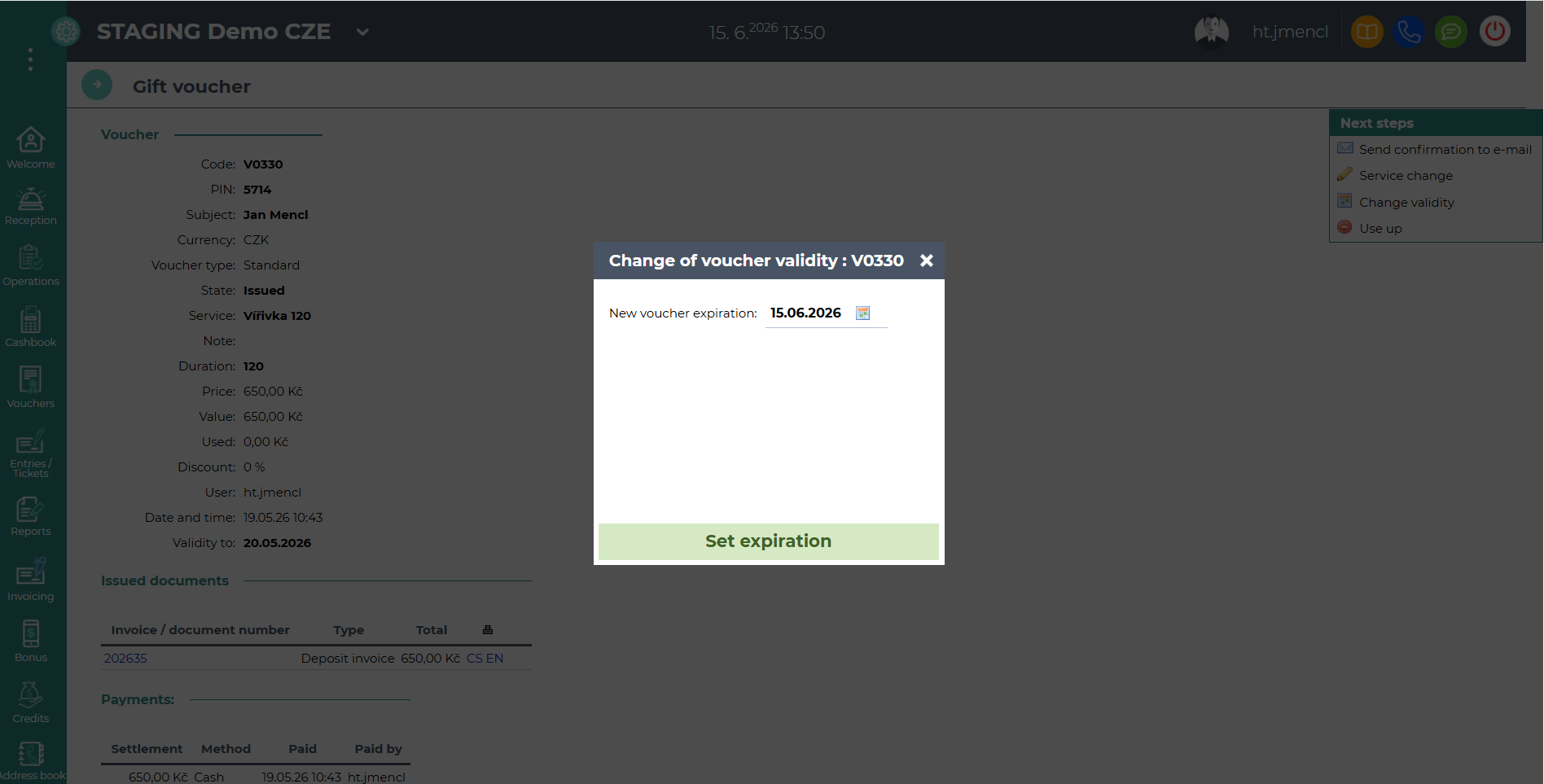
Voucher validity prolongation can be done directly by click on button "Change validity" from the voucher detail, which you can access via the main menu Vouchers - Vouchers list. To be able to set a new expiration, you must have the "Gift certificates - Voucher expiration extension" user right enabled.