
It is now possible to save credit card information (token) with Adyen payment links. Let's take a look at how it works.
You have two options how you can create the token in HotelTime. Both are simple and there is basically no need for extra settings on your side.
1) With Adyen payment link
If you want your guest to make a payment via Adyen link and also to keep their card information as a guarantee for possible future payments, this is the option for you.
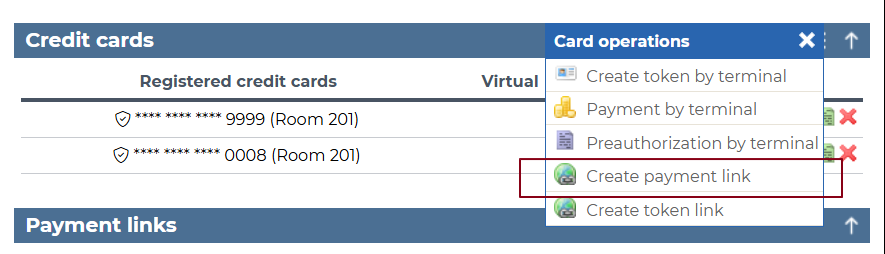
- in Credit card section of the reservation, click on Create payment link:
- set the necessary information (amount, validity) and check the option Create token
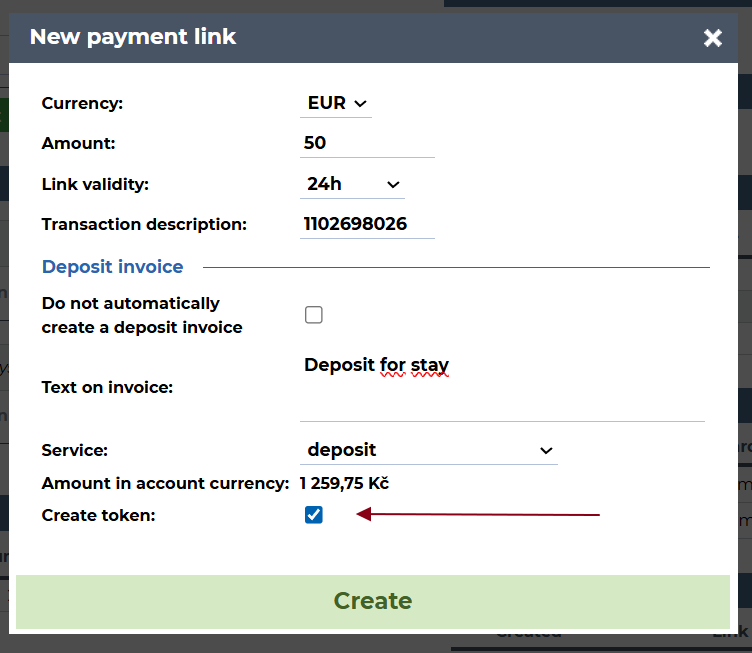
The Create token option is by default not checked, so remember to check it if you wish to store the card information.- once the guest makes the payment, the card information is saved in HotelTime as a token (same as with payment terminals or channel manager reservations) and you can use it in the same way (to make payments etc.)

We recommend that you inform the guest that their card information will be stored for possible future payments. You can either update your Terms and Conditions that we set for you for Adyen payment links or include this in the e-mail with which you are sending the payment link.2) Adyen link for creating card token
You can use this option if you only need to capture card details from your guest (without any payment yet).
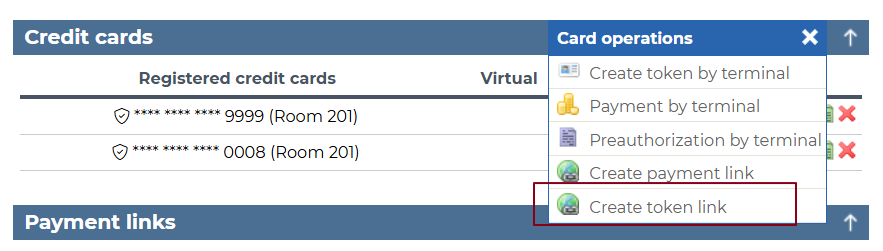
- choose Create token link option:
- confirm:
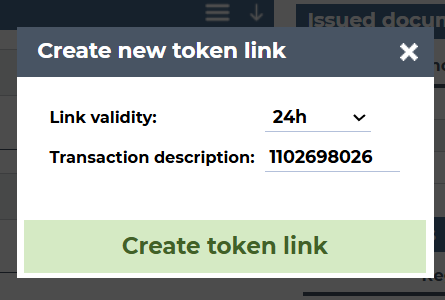
- in this case your guest knows that they are inserting their card details for possible future use (or as a guarantee)
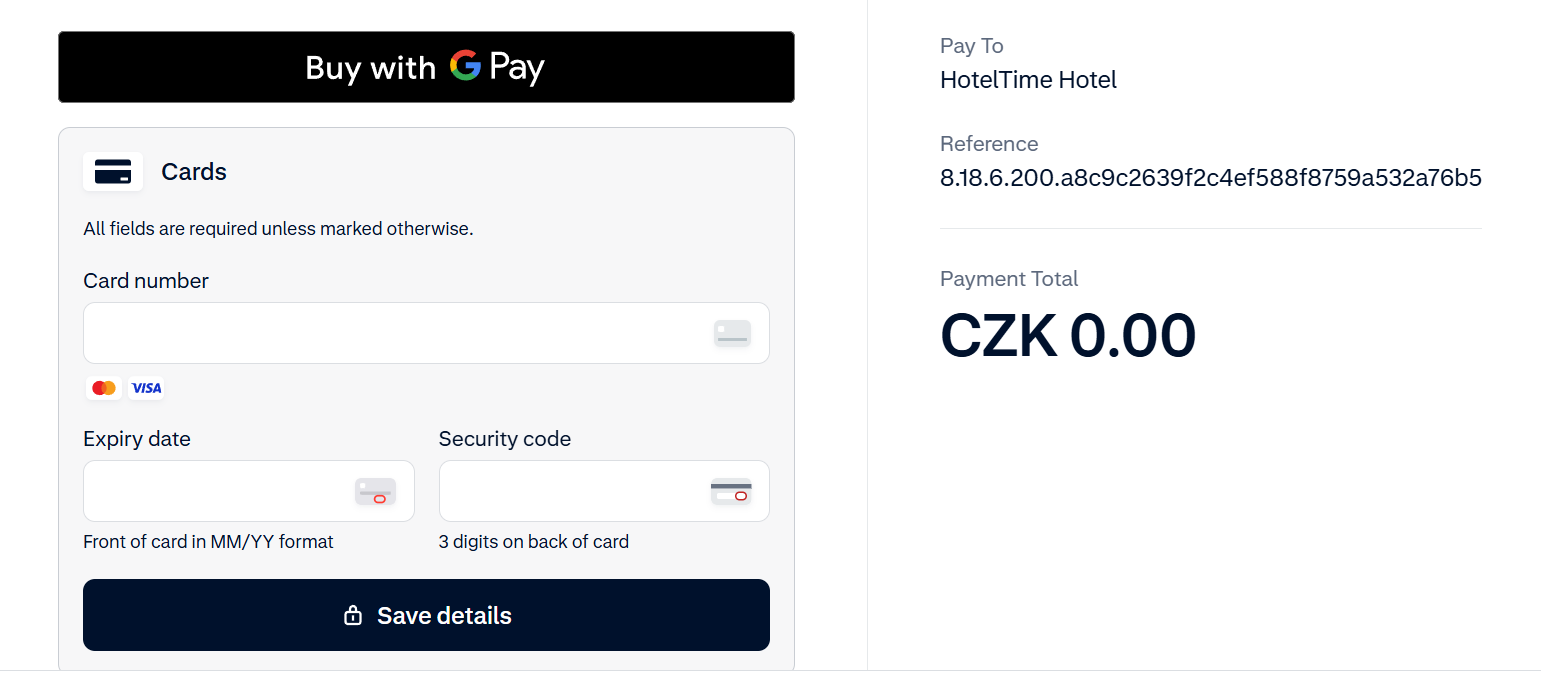
- card token is created the same way as above.